TaskPaisa App: How to Install on Android, iPhone & PC
Install TaskPaisa on your home screen in under a minute and open tasks, your coin balance and redeem options with one tap. No Play Store needed, no big download, no storage worry.
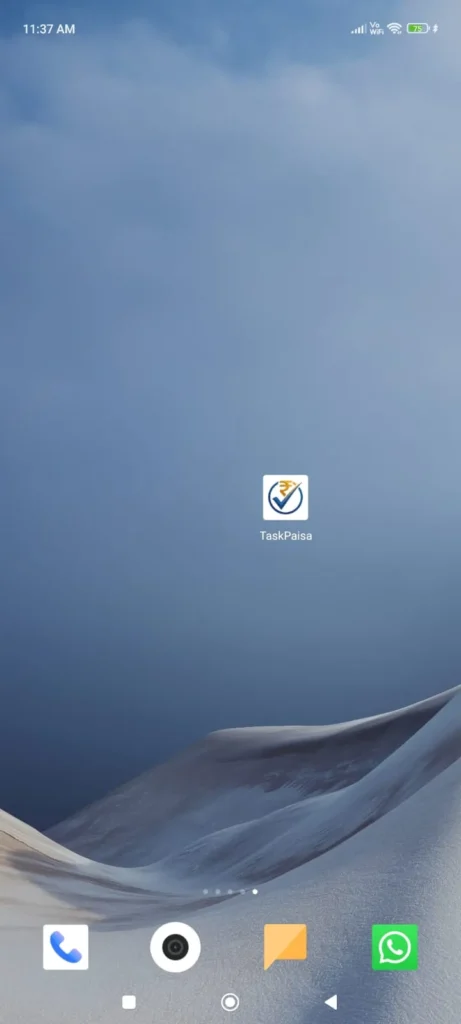
✅ TaskPaisa is already installed on this device. Open it from your home screen.
Trusted by 24,000+ registered users in India. Free to use.

Light, fast, free
Opens full screen like a normal app.
Dhyan dein: TaskPaisa ka koi APK nahi hai. Sirf taskpaisa.in se install karein.
How to Install TaskPaisa App (Step by Step)
📱 Android (Chrome)
- Open taskpaisa.in in Chrome.
- Tap Install TaskPaisa App on this page, or the install bar at the bottom of the screen.
- If you do not see it, tap the ⋮ menu and choose Install app or Add to Home screen.
- Tap Install to confirm. The TaskPaisa icon appears on your home screen.
🍎 iPhone & iPad (Safari)
- Open taskpaisa.in in Safari. Other browsers cannot install on iPhone.
- Tap the Share button at the bottom of the screen.
- Scroll and tap Add to Home Screen.
- Tap Add. TaskPaisa now opens like an app.
💻 Windows & Mac (Chrome / Edge)
- Open taskpaisa.in in Chrome or Edge.
- Click the install icon at the right end of the address bar.
- Click Install. TaskPaisa opens in its own window.
🦊 Samsung Internet & other browsers
- Open taskpaisa.in.
- Open the browser menu.
- Choose Add page to then Home screen, or Install if shown.
Hinglish mein: Chrome mein taskpaisa.in kholein, ⋮ menu mein “Install app” ya “Add to Home screen” dabayein. iPhone mein Safari se Share, phir “Add to Home Screen”.
Why Install the TaskPaisa App?
⚡ One-tap access
Open tasks and your balance straight from the home screen.
🪶 Tiny and light
It uses far less storage than a regular app.
🖥️ Full screen
No address bar, so it feels like a normal app.
🔄 Always up to date
New tasks and fixes arrive automatically, with no updates to download.
🔐 Same account
Log in with your TaskPaisa account. Coins and history stay the same.
🆓 Free
Installing and using TaskPaisa costs nothing.
What You Can Do in the TaskPaisa App
- Browse and complete tasks and submit proof.
- Spin the daily spin for a chance at rewards.
- Check your coin balance, task history and leaderboard rank.
- Redeem coins once your email is verified.
- Invite friends through Refer & Earn.
New to TaskPaisa? Read how it works first, or see real payment proofs.
Install Not Working? Quick Fixes
I do not see an Install button
Use Chrome on Android, Safari on iPhone, or Chrome/Edge on PC. Reload the page once. If it still does not show, use the browser menu and choose Add to Home screen.
Install option missing on iPhone
You must use Safari. Chrome and other iPhone browsers cannot add apps to the home screen.
The app opens the website instead of full screen
Remove the shortcut, then install again using Install app rather than a plain bookmark.
I installed it but I am logged out
Log in again with your registered email. Your coins and history are saved on your account, not on the device.
How do I uninstall it?
Press and hold the icon and choose Remove or Uninstall, like any other app. Your account is not deleted.
TaskPaisa App FAQ
Is there a TaskPaisa APK or Play Store app?
No. TaskPaisa works as a web app you install from your browser at taskpaisa.in. We do not provide an APK, so avoid unofficial download links.
Is the TaskPaisa app free?
Yes. Installing it and creating an account are free.
Does the app work on iPhone?
Yes. Open taskpaisa.in in Safari, tap Share, then Add to Home Screen.
Will I lose my coins if I uninstall?
No. Your coins and history stay on your TaskPaisa account.
Kya TaskPaisa app safe hai?
Install sirf taskpaisa.in se karein. TaskPaisa aapse kabhi password, OTP ya UPI PIN nahi maangta.
Need Help?
Visit the Help Center or message us on WhatsApp. Send your phone model and browser name so we can help faster.