How to Promote Your Android App in India on a Small Budget
Launching an Android app is only the first step toward building a successful mobile business. The real challenge is getting people to discover your app, download it, use it regularly, and recommend it to others. For startups, small businesses, and independent developers in India, app marketing can feel expensive when the budget is limited.
The good news is that you do not always need a large advertising budget to promote your Android app. With the right combination of Google Play Store optimization, search engine optimization (SEO), social media marketing, content creation, referral campaigns, and performance tracking, you can reach relevant users while keeping your marketing costs under control.
In this guide, you will learn how to promote your Android app in India on a small budget, which marketing channels to prioritize, how to attract genuine users, and how to measure the results of your campaigns.
Whether you have launched a gaming app, shopping app, educational app, finance app, utility app, or business application, these strategies can help you develop a practical app marketing plan.
Optimize Your Google Play Store Listing
App Store Optimization (ASO) is one of the most important starting points for promoting an Android app on a limited budget.
ASO means improving your app’s Google Play Store listing so that relevant users can discover it and understand why they should install it. Before spending money on advertisements, make sure your store listing clearly communicates your app’s value.
Choose a clear and relevant app title
Your app title should communicate your brand or the main purpose of your application. Use a name that is easy to understand, remember, and recognize.
For example, an expense-tracking application could use a descriptive name such as “Budget Tracker: Expense Manager.”
Avoid stuffing the title with unrelated keywords. Follow Google Play’s current metadata rules, including the 30-character title limit.
Write a benefit-focused app description
Your short description should explain the main benefit of your app quickly. Use the full description to describe its features, use cases, and advantages in straightforward language.
For example, a study-planning app could explain how it helps students organize subjects, schedule revision sessions, and monitor their progress.
Include relevant terms naturally, but avoid repeating keywords excessively. Your description should help real users make an informed decision rather than read like a list of search terms.
Use high-quality screenshots and a preview video
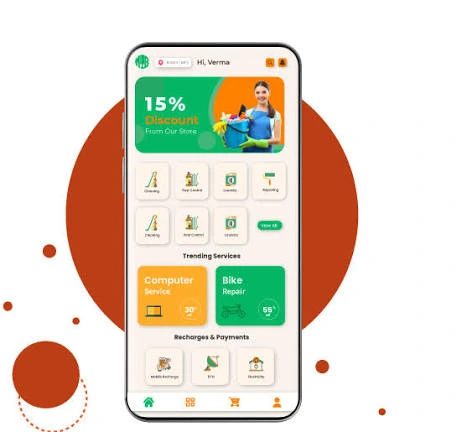
Screenshots give potential users a preview of the actual app experience. Select images that demonstrate important features, useful screens, and the problems your app solves.
Consider including:
A clear view of the main dashboard.
Screenshots of your most useful features.
A simple explanation of the user journey.
Short, readable text where necessary.
A preview video if it helps demonstrate the app.
Use genuine screenshots from your application. Do not make promises or show features that the app does not provide.